
Taps you set up.
Eyes on the screen.
An auto clicker with image detection: it performs the taps, swipes and gestures you set up, and can wait for a picture, a colour or a word before it acts. No account. Free with ads; a one-time Pro removes them.
Free · One-time Pro · Android 7.0 and later
You set it up.
It waits for the screen.
It taps.
How it works
Build a macro.
Press Play.
Three steps, and nothing to sign up for.
- 01Turn on TapSightTapSight explains on its own screen what its Accessibility service does and doesn't do. You agree, then switch it on in Android's settings.
- 02Make a macroAdd taps, swipes and gestures, record what you do, or wait for an image, a colour or text. Try it first in the built-in Playground.
- 03Run itPress Play on the floating panel. The panel and the notification always have Stop.
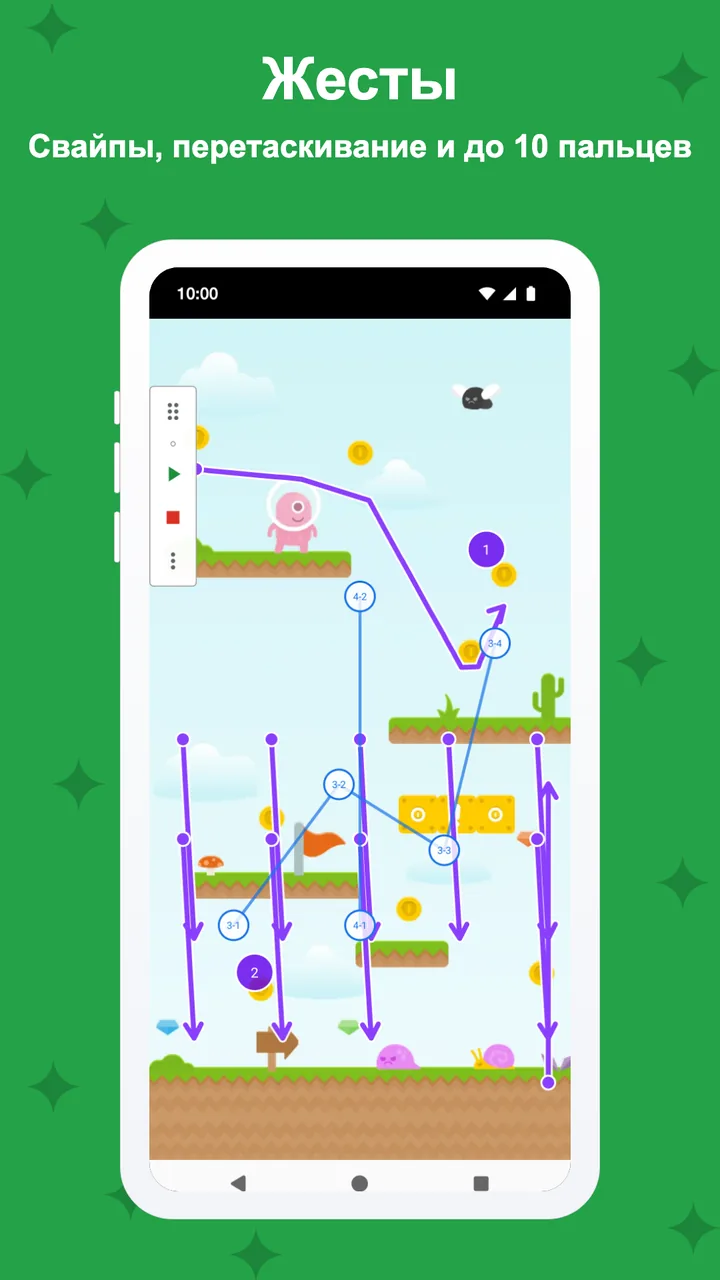
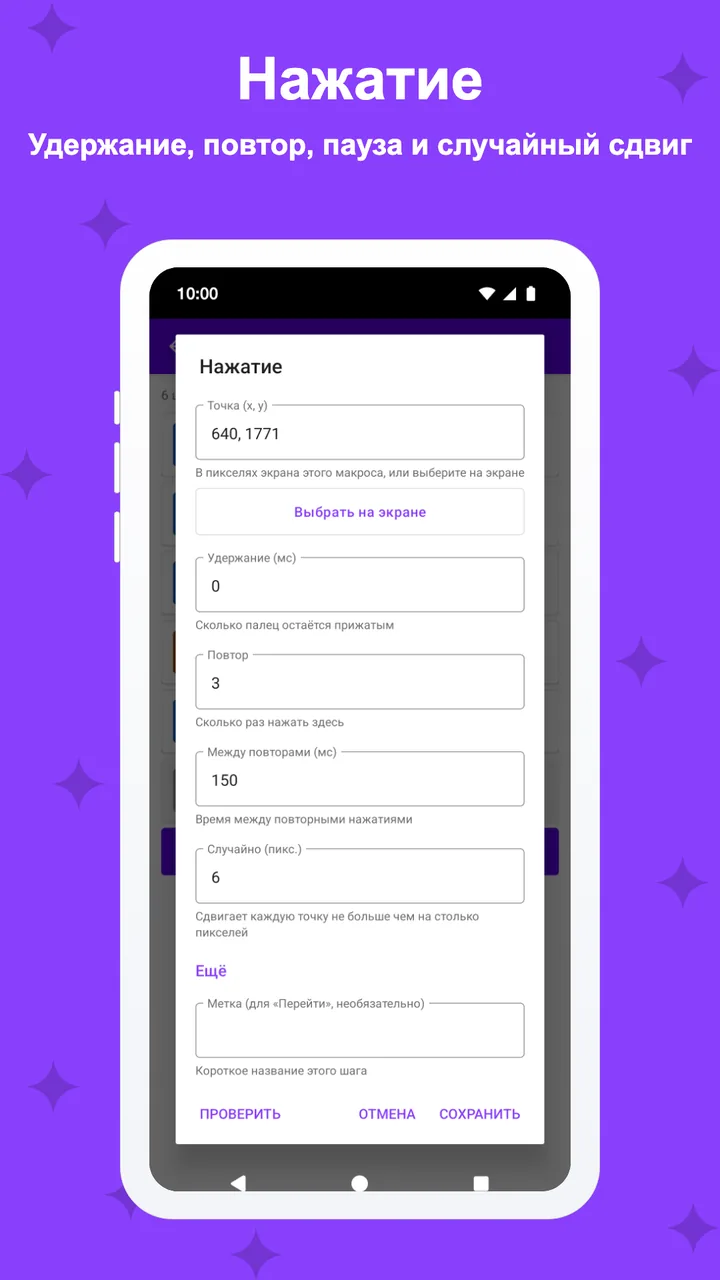
Taps and gestures
Tap, hold, swipe,
up to 10 fingers.
Taps with hold, repeat and delay, long presses, double taps, swipes, paths, pinch and zoom, and gestures with up to 10 fingers. Natural timing adds a random point and delay you choose.
- Hold, repeat, delay and natural timing
- Paths, pinch and multi-finger gestures
- Loops, waits, conditions and variables
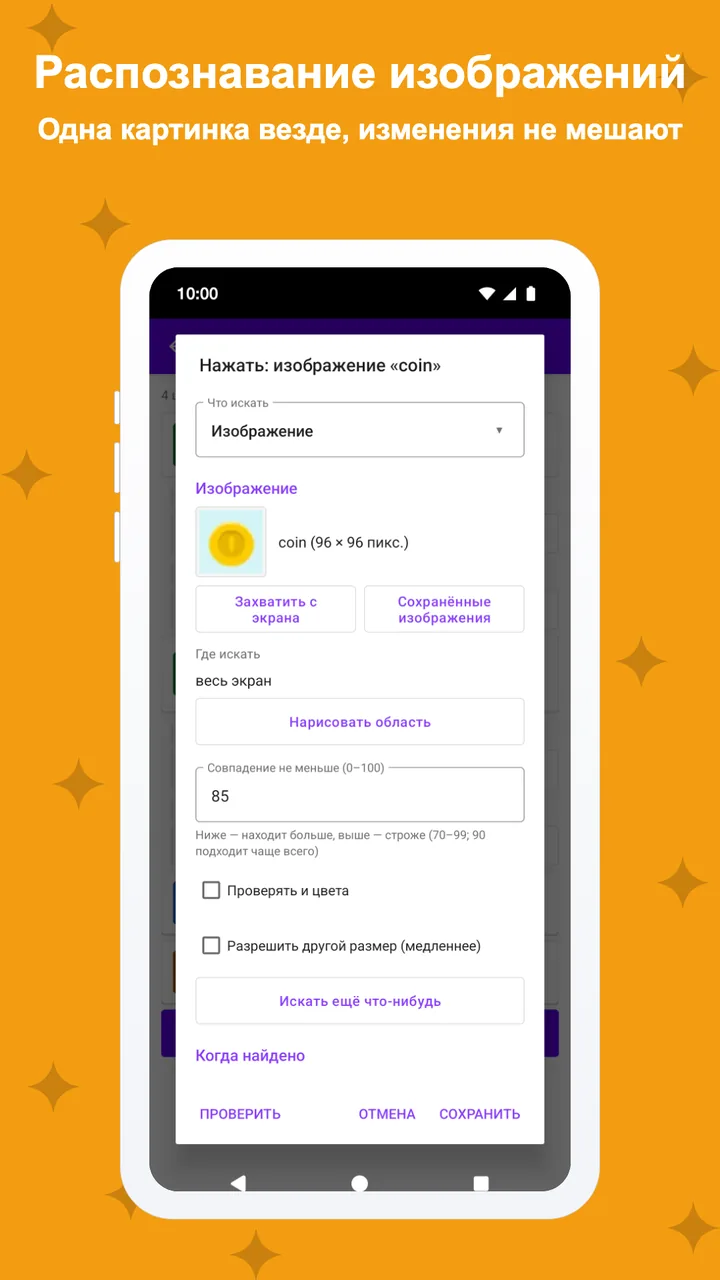
Image detection
Act when it appears,
or when it's gone.
Crop a picture from the screen and TapSight waits for it, then taps it, or reacts when it disappears. Keep your pictures in one library and paint over the parts that change, like a number. Each screen picture is checked in memory and dropped.
- Image and colour detection, free
- Image library: retake once for every macro
- Pro: masks, faster scans, unlimited images
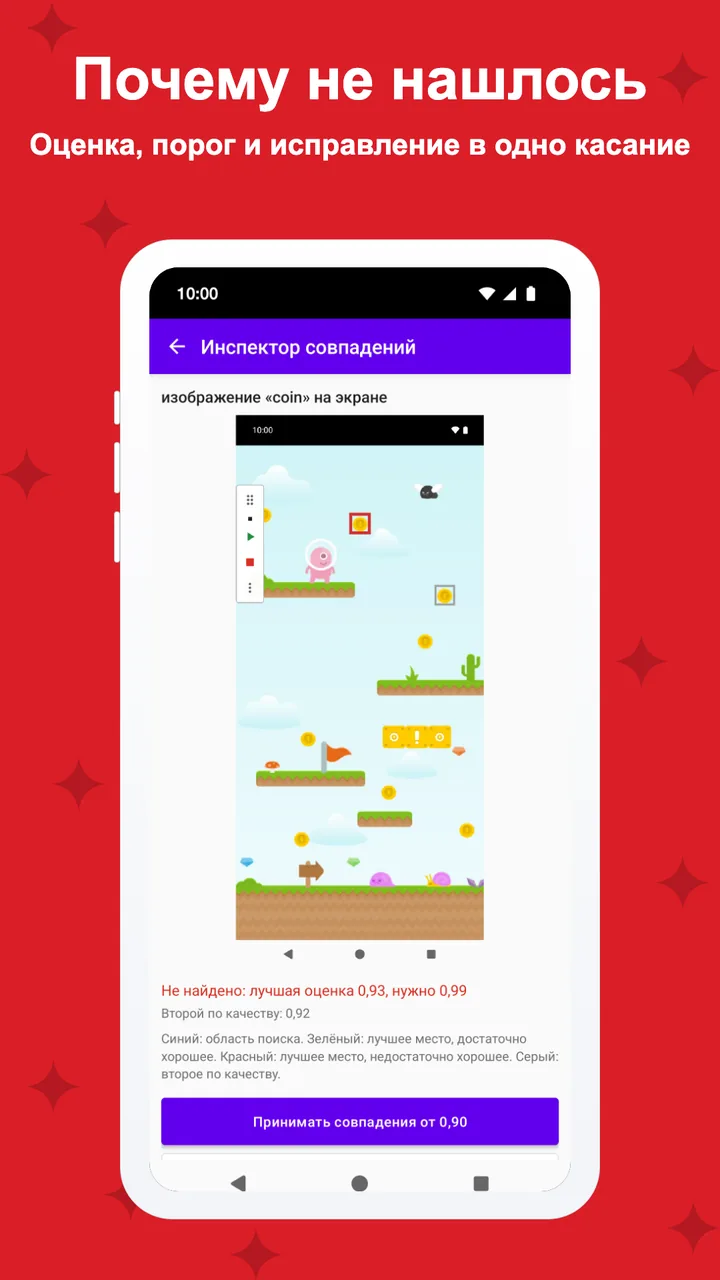
Debugging
Why didn't it tap?
See it, then fix it.
Run a macro step by step or stop at a breakpoint and see what the last check found. The match inspector shows the screen, the best match and its score against your threshold, with a fix in one tap.
- Debug run, step by step
- Match inspector with one-tap fixes
- Pro: breakpoints and failure pictures
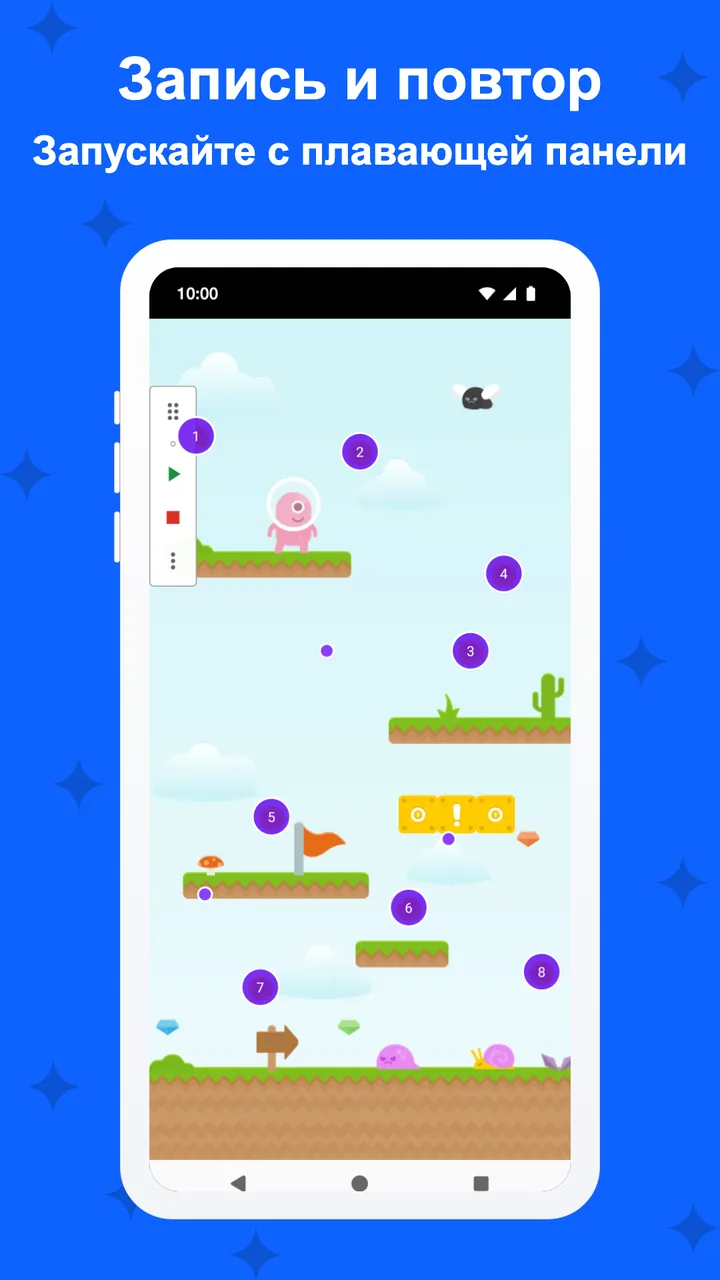
Record and replay
Do it once.
Replay it any time.
Record your taps and swipes, then edit them, reorder them and change the speed. Share a macro as a file; no account and no online store.
- Record, edit, reorder, change the speed
- Macro files you can share
- Examples to start from
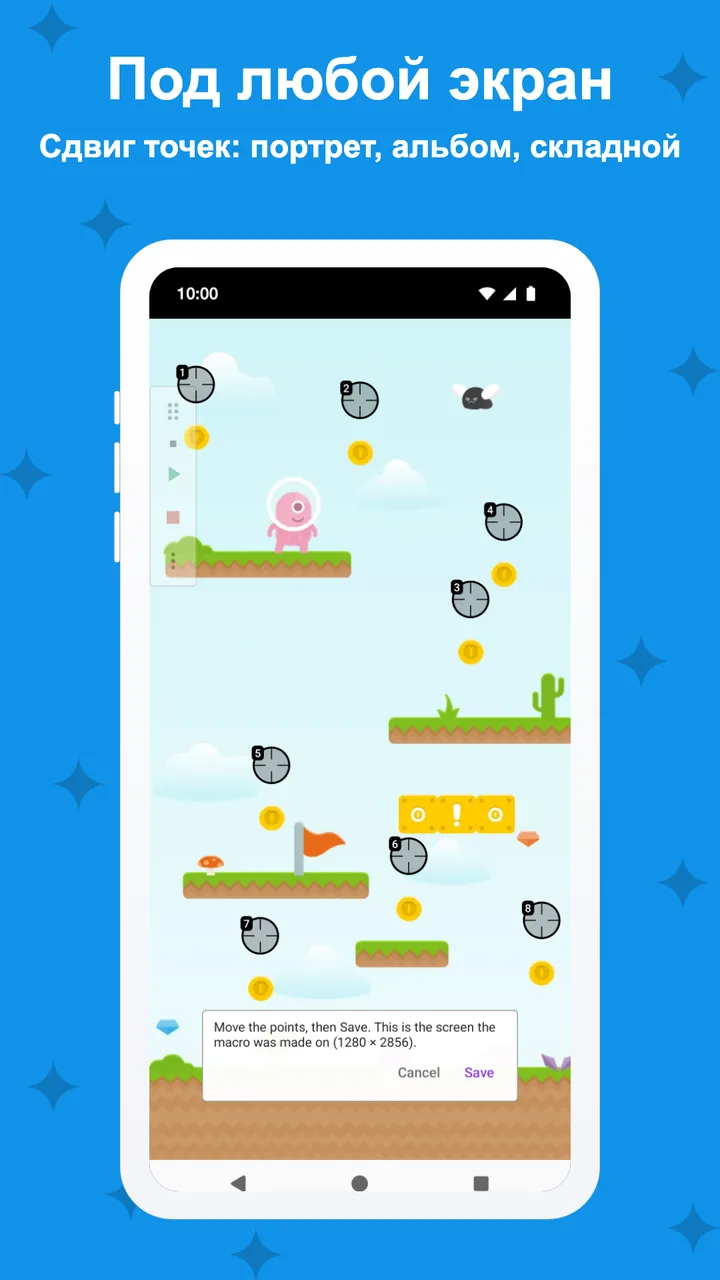
Quick start
Starts the way
you like.
Start the panel's macro from Quick Settings, a home-screen shortcut, the accessibility button or a key you choose, and let TapSight offer a macro when its app opens. Points adjust to portrait, landscape and foldables.
- Quick Settings tile and home-screen shortcuts
- Pro: hotkeys and app suggestions (opt-in)
- Layouts for any screen shape
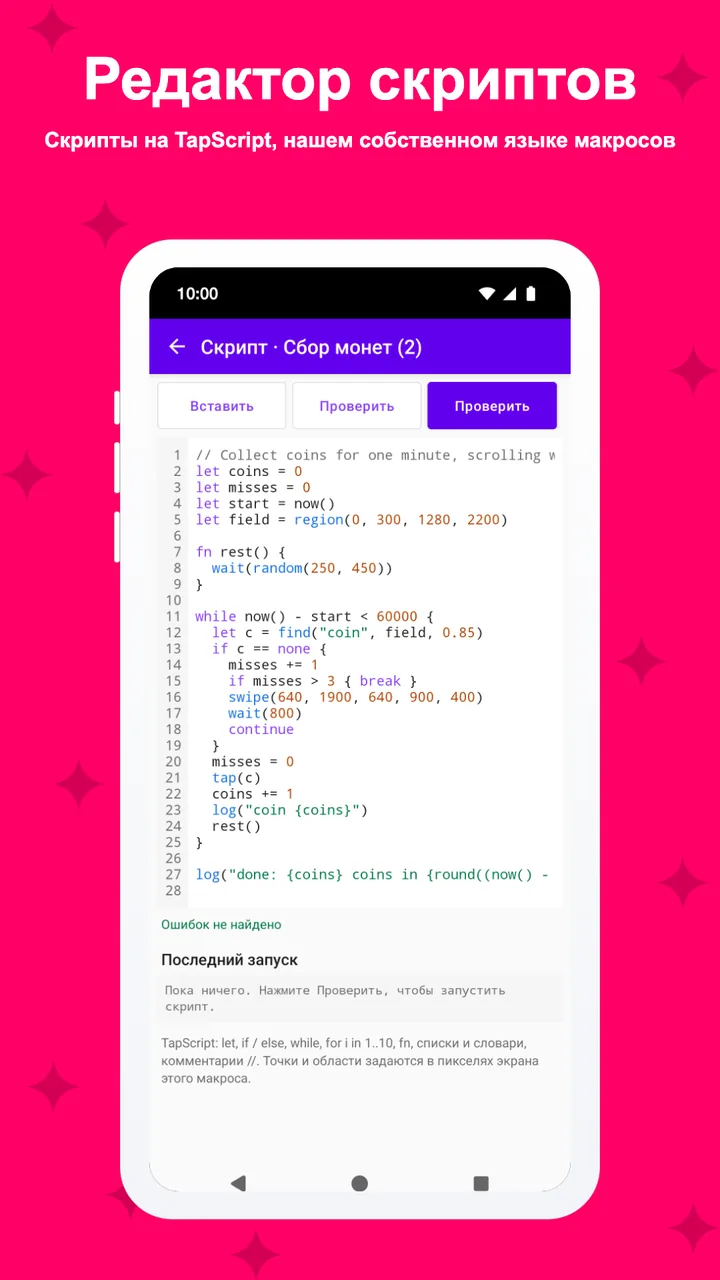
Text and rules (Pro)
Read the screen,
on your phone.
Pro recognises text on the screen with a model built into the app, so it works offline. Add rule mode with jobs, run forms and scripts when steps aren't enough.
- On-device text recognition
- Rule mode, run forms and scripts
- Dim the screen while a macro runs, full run log
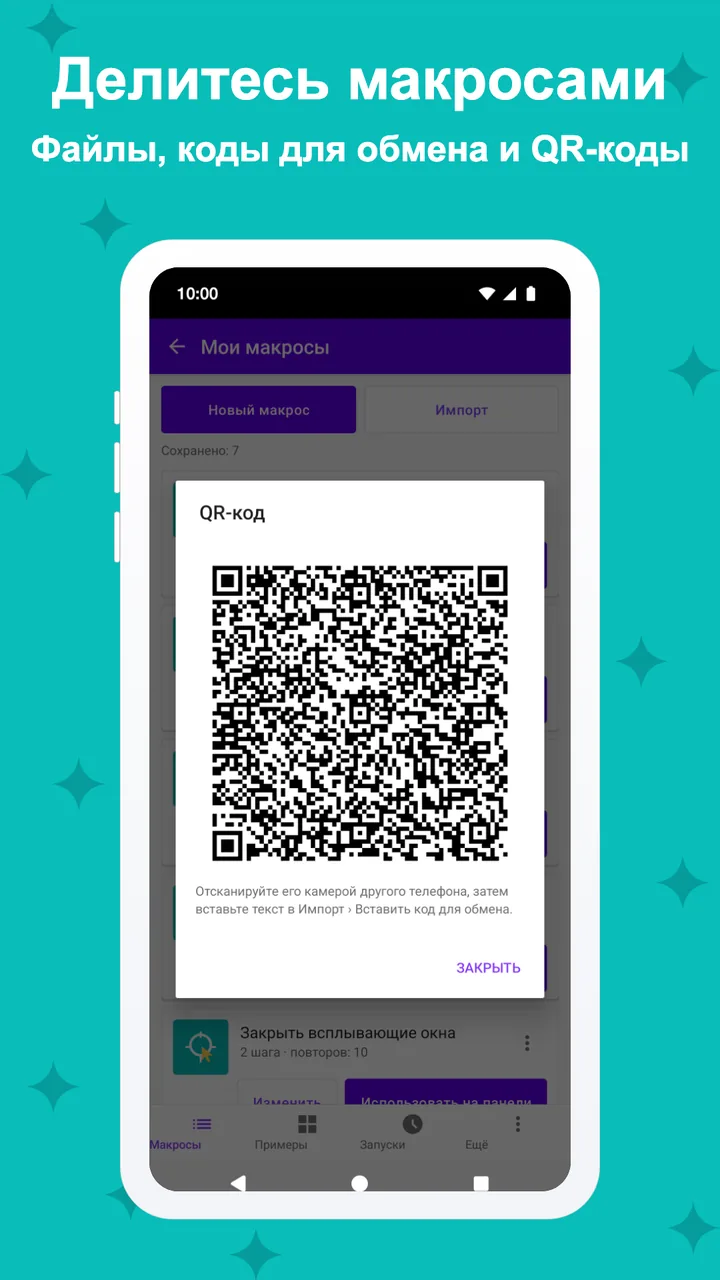
Privacy
What it sees
stays on your phone.
TapSight looks at the screen only while a step you made waits for it, and drops each picture, unless you turn on failure pictures. It skips password fields and never sends what it sees.
- Pictures checked in memory; kept only if you turn on failure pictures (on your phone, 7 days)
- Never touches password fields
- No account; Pro removes the ads
And more
The small things,
done right.
How an image step works
It waits for a match,
then taps.
An image step compares the screen with the picture you cropped, again and again. While the match stays under your threshold, it waits; the moment it crosses, the next step runs.
- Crop the picture to look for
- Each scan scores how well the screen matches
- Over the dashed threshold: tap where it was found
Illustrative example. The threshold and the scan rate are yours to set.
Pricing
Free to use.
Pro is one payment.
Free: taps, all gestures, record and replay, loops and waits, image and colour detection, conditions and variables, macro files and examples. Up to 5 macros, 3 images per macro and the last 20 runs in the log.
TapSight Pro
- Unlimited macros and images
- Text recognition on the screen, on your phone
- Rule mode with jobs, run forms and scripts
- Breakpoints, image library and masks, hold until
- Hotkeys, group switches, app suggestions, failure pictures
- Dim while running, faster scans, full run log
One payment through Google Play, no subscription. Google Play shows the price in your currency. Google Play's refund policy applies.
No catch.
Privacy
Your macros
stay on your phone.
TapSight performs only the steps you set up. Screen pictures and recognised text are checked in memory and dropped; only if you turn on failure pictures is the screen of a failed check kept, on your phone, for 7 days. Nothing leaves your phone.
Only what the ad networks in the free version collect: the advertising ID, device and app information, ad interactions and an approximate location from your IP address, never what is on your screen, recognised text or your macros. Payments are handled by Google Play; TapSight checks your purchase on the device. Политика конфиденциальности →
Questions,
answered.
Why does it ask for Accessibility?
Android lets apps make taps and gestures only through its Accessibility service. TapSight uses it to perform the steps of your macros and to look at the screen while a step waits for an image, a colour or text. It explains this on its own screen and asks for your consent first.
Does it save what is on my screen?
Not unless you ask it to. Each screen picture is checked in memory and dropped. If you turn on "Keep a picture when a check fails" (Pro, off by default), the screen of a failed check is kept with the run log on your phone: at most 20 pictures, each deleted after 7 days, and "Delete all pictures" in Settings removes them at once. The images you crop as templates are kept in the app.
Why does Android 7 to 10 ask to capture the screen?
Those versions have no accessibility screenshot, so for image, colour and text steps TapSight uses Android's screen capture, with its own consent dialog. Newer Android versions don't ask.
Can I start a macro with a key?
Yes, with hotkeys (Pro, off by default): volume up and down together, or a key of a keyboard, remote or media button you teach, plays, pauses or stops the panel's macro. Holding volume-down for 2 seconds always stops a run. Keys are acted on and never stored.
Does text recognition need the internet?
No. The text recognition model is built into the app and runs on your phone, and the recognised text never leaves it.
Can I use it in games?
Some games and apps forbid auto clickers in their terms, and using one there can get your account restricted. Check each one's rules. TapSight only repeats what you set up and does not hide itself.
What do I get for free?
Taps, gestures, record and replay, loops, image and colour detection, conditions, variables and macro files, with up to 5 macros and 3 images per macro. The free version never expires; it shows ads, and Pro removes them.